Give it an idea. Get a reviewed pull request.
sdlc is a plugin for Claude Code. Four commands take an idea to a reviewed pull request. The pipeline follows your rules, repairs its own failures and learns from each run.
Install in Claude Code
/plugin marketplace add rnagrodzki/sdlc-plugin/plugin install sdlc@sdlc-plugin Made for this stack
- Claude Code
- GitHub
- Jira optional
- OpenSpec optional
Support for other tools comes in later versions.
- Preplan /sdlc:preplan 20 decisions
- Plan /sdlc:plan 14 tasks
- Execute /sdlc:execute 3 of 3 waves
- Commit /sdlc:commit done
- Review /sdlc:review 4 of 6 dimensions
- Pull request /sdlc:pr waits
- Verify /sdlc:verify-pipeline waits
/sdlc:ship runs execute to pull request in one command, and can verify CI. Harden turns a failed run into a new guardrail for the next plan.
Set it up in three steps.
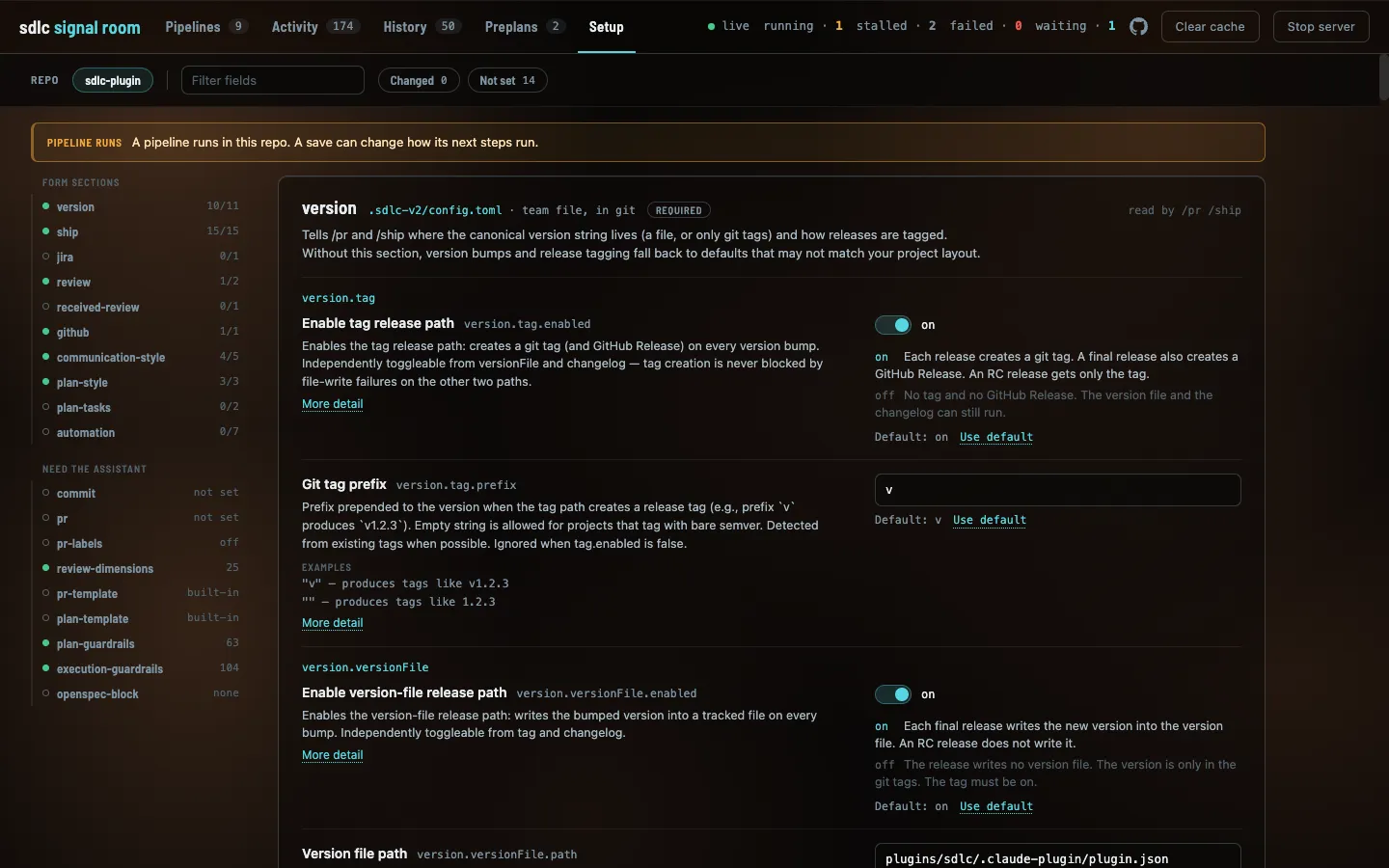
The skill writes the first config. The Setup tab shows every form field in one form. Read the setup guide.
- Install the plugin.
- Run /sdlc:setup in your repository.
- Change the form sections in the dashboard Setup tab.
The workflow: 4 commands.
Four skills take an idea to a pull request. Each skill offers the next one.
-
You get: topic file
-
You get: plan file
-
You get: reviewed pull request
-
Triage the rest
/sdlc:deferredEach finding that the run did not fix becomes an issue, or you close it.
You get: GitHub issues
/sdlc:harden Each run teaches the next plan. A failure becomes a guardrail.
Before the first run, do /sdlc:setup one time in each repository. Read the getting started guide.
Your rules, in your words, at every step.
Tell the pipeline how your team works. You write plain text in a config file, not code. Each run follows your rules and does your follow-up actions.
Follow-up instructions
Write it one time. Each run does it.
Move the ticket. Post the link. Add a note. Write each action as one sentence, and the agent does it after the step that you name.
- One list for each of the 10 pipeline steps, 2 lists for the review fixes, and 1 list for the end of the run.
- The team list is in the committed config. Your own list is in a local file, for one project or for all your projects.
- You set which questions the agent can ask. An action such as a merge, a release or a post has its own switch.
- A failed instruction never fails the step or the run. The summary names it, and the dashboard shows the status of each instruction.
- The lists also run after a skill that you run alone.
.sdlc-v2/config.toml The list of the team, in git [[instructions.commit]]
text = "Post the branch name and the commit subject to Slack channel #ship-log."
[[instructions.pr]]
text = "Move the Jira ticket named in the branch name to 'In Review'."
criticalQuestions = true.sdlc-v2/local.toml Your own list, not in git [[instructions.pr]]
text = "Open the PR URL in my browser."
[[instructions.ship]]
text = "Add one line with the PR link and today's date to ~/notes/shipped.md." There is more: the release versioning, the integration branch, the review scope. Two commented config files list every option, and /sdlc:setup explains each one.
Use it more. Maintain it less.
sdlc is self-healing and self-learning. It repairs a failed run, turns a failure into a guardrail, and keeps its own rules current while you work.
-
Self-healing
A failure gets a repair, not a stop
The run corrects the problem and continues.
- A failed task gets 2 retries, on a stronger model when one exists.
- Review findings get their fix in a separate commit before the pull request opens.
- A failed CI check gets a diagnosis and a minimal fix.
- A stopped run continues where it stopped, also in a new session.
-
Self-learning
Each failure makes the next run stricter
A lesson from one run becomes a rule for the later runs.
- Each run logs its lessons.
- A failure becomes a guardrail for a class of failures, not for one file.
- The next plan loads the new guardrails.
- A lesson that recurs 3 times becomes a skill recommendation.
-
Self-maintaining
The rules follow your project
The pipeline cleans its own rule files while you use it.
- A rule with a dead reference is removed.
- A rule that another rule covers is removed, and an oversize rule is split.
- Rules only get stricter. No rule is relaxed.
- The run report lists each self-healing change of the run.
You approve each rule edit. With --auto, harden applies only the safe edits and stores the others for you.
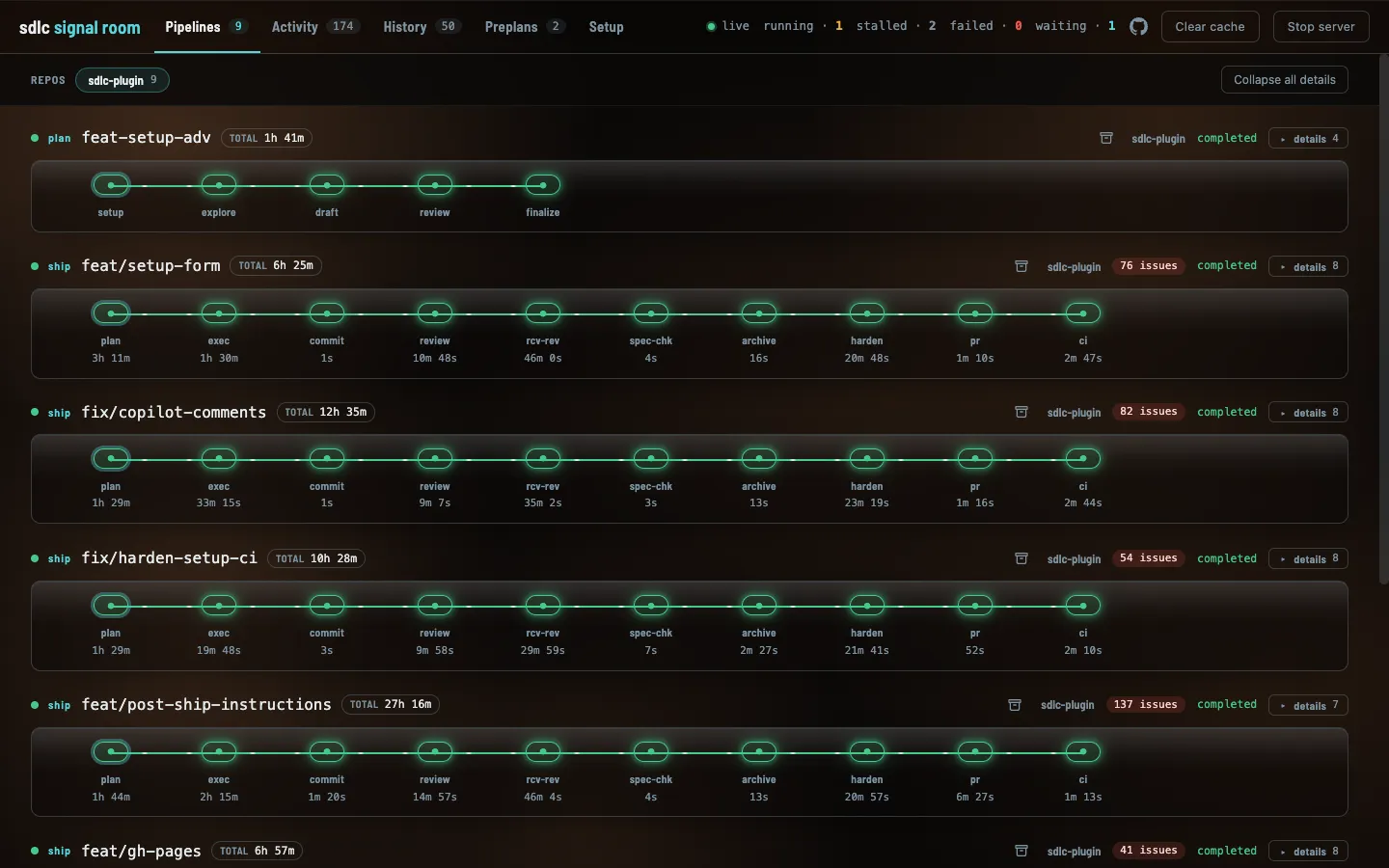
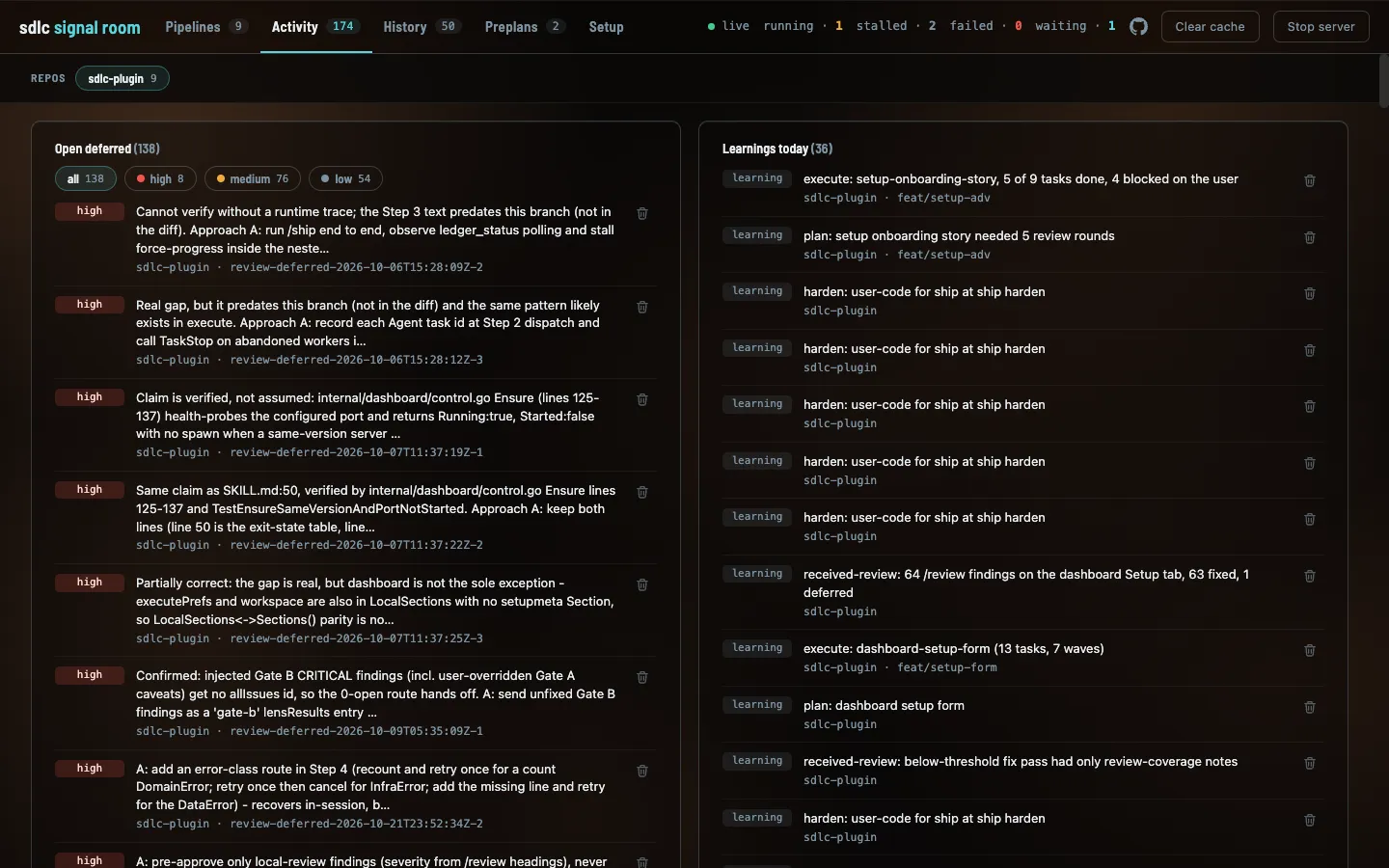
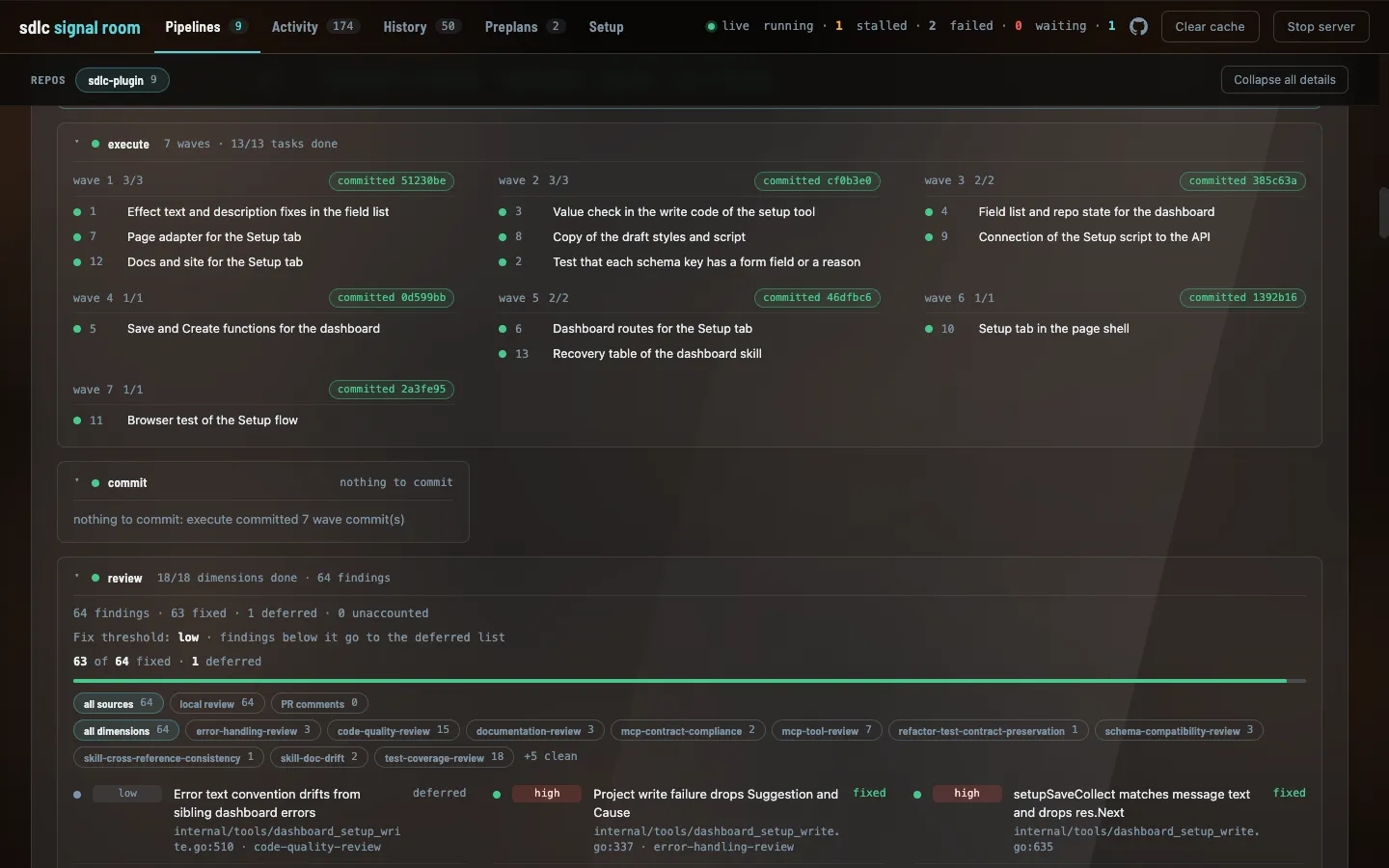
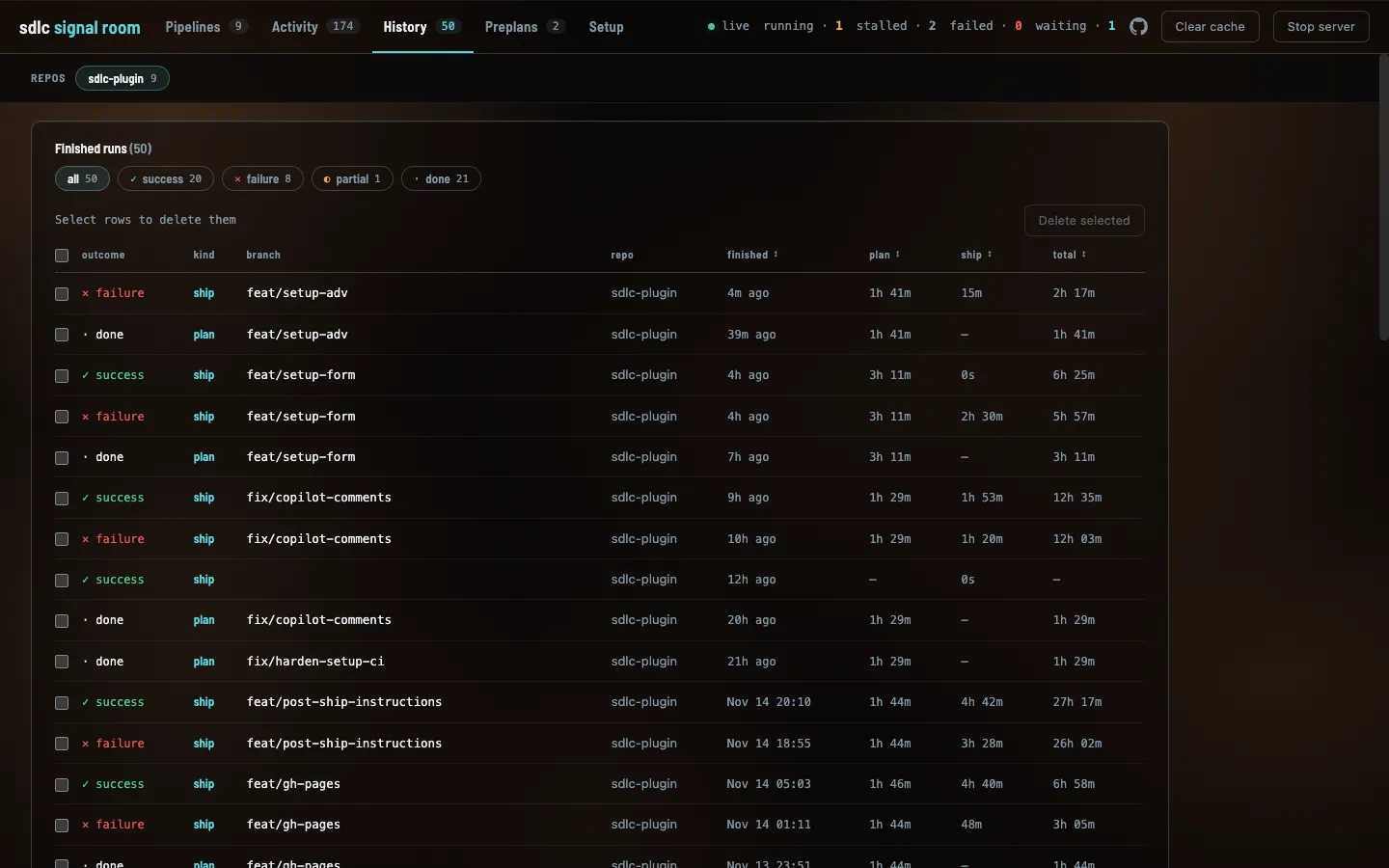
Every run on one page.
The dashboard shows each pipeline step by step, with the time of every step and the open issues.
What else you get.
Each benefit names the skills that give it. Select a skill to read its page.
-
Problems found before any code exists
The idea becomes written requirements, one question at a time. The plan passes its own review and two hard gates before a task starts.
-
A review that fits your project
Each quality dimension of your project has its own reviewer. You read one comment, with no duplicates and with corrected severities.
-
One command for every review finding
Local review, human reviewer or Copilot: each finding is checked against the code, then fixed or answered. A ledger accounts for every finding.
-
Supervised or unattended, by your choice
Each commit and each pull request waits for your
yes.--autoremoves the questions, and--dry-runshows the steps before a run. -
Output in the style of your project
The commit message follows the style of your history. The pull request text covers every commit, and a section with no evidence gets
N/A. -
A fit with your tools
The skills work with GitHub, Jira and OpenSpec. Each skill also runs alone, so you can use one step and not the full pipeline.
All 17 skills.
The workflow needs 4 of them. Use the others to run one step by hand. See how the skills work together.
Pipeline
Around the pipeline
A filled name is a skill of the workflow.